TizenTube

Smart TV streaming

TizenTube

Video streaming now sits at the centre of home entertainment, with online platforms offering millions of programmes, films, and clips across every category a household can name, ready the moment someone sits down in front of the television.

Even so, many smart TV owners look beyond the default apps on their screen. They want a viewing experience shaped around their device, their remote, and their habits, with fewer interruptions and more control over how each session feels.

TizenTube answers that search for Tizen based and Android TV family devices, offering a different route into online video that is built around the television first: large text, remote friendly navigation, and playback features chosen for the sofa rather than the desk.

The platform focuses on creating a video viewing experience connected with:

Tizen devices

Smart TV environments

Video streaming functionality

User-friendly navigation

Device-specific compatibility

The app belongs to the family of players developed around the Tizen ecosystem and the wider Android TV world, where viewers explore alternative ways to reach the video content they already love, on hardware they already own.

App Rating: 4.5/5 By Tizen Device Users

TizenTube preview
Table of Contents

App Information

App Name TizenTube
Category Video Players & Editors
Developer ReisXD
Version v1.0.2
Size 37.01 MB
Content Type Ad-Free YouTube, SponsorBlock, DeArrow, Picture-in-Picture, Video Speed Control
Package Name io.gh.reisxd.tizentube.cobalt
Genre Entertainment
Platform Android TV
Device Support Android TV, Google TV, Fire TV
Additional Support NVIDIA Shield, Chromecast with Google TV, Onn TV Box

Screenshots

App previews

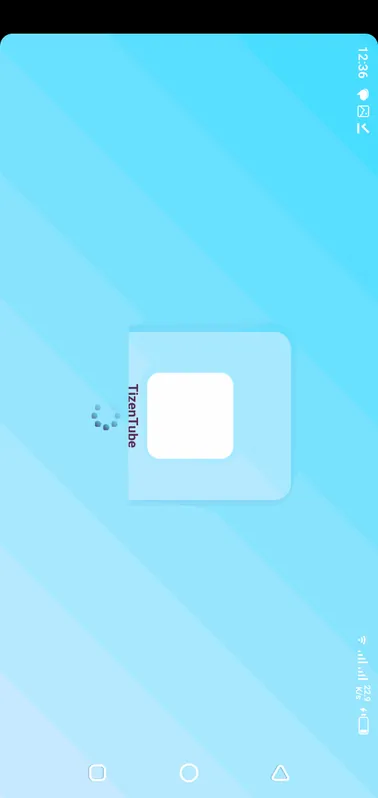
TizenTube home screen on a smart TV interface
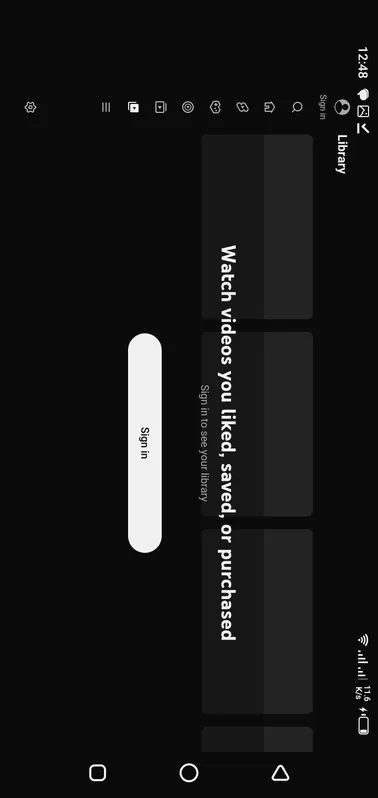
TizenTube video browsing and content discovery view
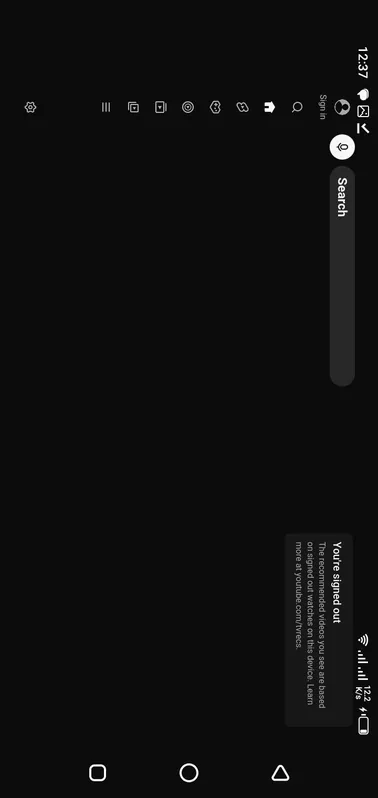
TizenTube video playback experience on a large screen
TizenTube navigation and menu layout for remote control use
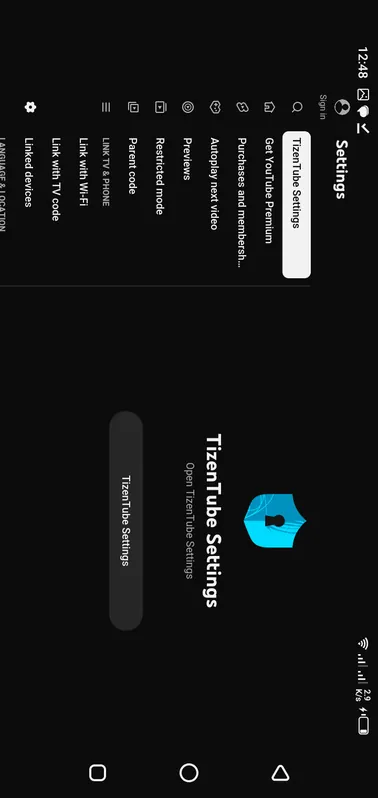
TizenTube settings and viewing preferences screen

What Is TizenTube?

TizenTube is a video application built for televisions and TV devices that run on the Tizen operating system and the related Android TV platform family, bringing online video to the largest screen in the home.

Tizen is a Linux-based operating system used across different smart devices, including smart TVs and other connected devices.

TizenTube focuses on bringing video streaming capabilities to compatible Tizen platforms.

The application concept connects different entities:

  • Video content
  • Smart devices
  • Tizen operating system
  • Streaming experience
  • User interaction

Understanding The Tizen Operating System

Everything about TizenTube makes more sense once its home system is clear. Tizen is a Linux based operating system created for connected devices, and it quietly powers millions of televisions, which is why so many viewers meet it without ever learning its name.

Tizen is an operating system designed for connected devices.

It is used in different product categories, including:

Smart TVs

Wearable devices

Mobile-related platforms

Internet-connected devices

The operating system provides the foundation that allows applications to interact with device hardware and user interfaces.

TizenTube And Smart TV Experience

A smart TV changes viewing from scheduled broadcasting into personal selection: the viewer chooses the programme, the moment, and the pace. TizenTube is designed for exactly that shift, with an interface that assumes a remote in the hand and a sofa between the viewer and the screen.

Instead of only watching traditional television channels, users now access:

Video platforms

Streaming services

Online entertainment

Digital media applications

TizenTube fits into this smart TV ecosystem by focusing on video accessibility through Tizen-based environments.

TizenTube Core Concept

The core concept of TizenTube is simple to state and demanding to build: one video player that respects the television it runs on. Every design choice, from menu size to playback features, serves that single idea before anything else is considered.

The application connects:

Video Content

Users interact with online video content through a dedicated application environment.

Tizen Platform

The application works around the Tizen ecosystem and its device capabilities.

User Experience

Navigation and accessibility are important parts of smart device applications.

Streaming Features Overview

The TizenTube streaming feature set is chosen for daily viewing rather than for a specification sheet. Sponsor skipping, cleaner titles, picture in picture, and speed control all answer annoyances that regular viewers actually meet, which is why they headline the experience.

Important feature areas include:

Video Access

The main purpose of TizenTube is providing access to video content through compatible devices.

Smart Device Compatibility

The application focuses on devices using the Tizen operating system.

Simple Navigation

Smart TV applications require interfaces that work effectively with remote controls and larger screens.

Entertainment Experience

Video applications aim to create a comfortable environment for watching digital content.

TizenTube On Tizen Devices

Tizen devices vary widely in power, from recent televisions with fast processors to older screens that move more slowly. TizenTube must feel honest on both, so its demands stay modest and its behaviour stays predictable across the range.

The experience can depend on:

Device model

Operating system version

Hardware performance

Available resources

Compatible devices can provide different levels of performance depending on their specifications.

TizenTube Smart TV Environment

The smart TV environment differs from the phone in almost every habit: shared viewing, longer sessions, no touch screen, and a viewer who may be ten feet from the display. Software that ignores those facts feels wrong within a minute.

Users generally interact through:

Remote controls

Television displays

Smart TV interfaces

Therefore, applications designed for TV environments need to focus on:

  • Simple navigation
  • Clear interface structure
  • Comfortable viewing experience

TizenTube User Experience

User experience on a television is measured in small mercies: how fast a row loads, how clearly a title reads from the sofa, how few presses stand between sitting down and watching. TizenTube is judged on those mercies every evening.

Important user experience elements include:

Easy navigation

Clear menus

Smooth interaction

Comfortable viewing

The connection between application design and device environment influences overall usability.

Video Application Performance Factors

Performance in TizenTube is a chain, and the weakest link decides the experience. Device hardware, free memory, network stability, and the video's own quality all pull on the same chain, so honest troubleshooting checks each link in turn.

Important areas include:

Device Capability

Hardware performance influences:

  • Application speed
  • Loading behavior
  • Overall responsiveness

Internet Connection

Video streaming depends heavily on network quality.

A stable connection helps provide:

  • Better loading
  • Smoother playback
  • Reduced interruptions

Software Compatibility

The relationship between application and operating system affects performance.

Installation Overview And Setup Requirements

Installing on a smart device follows different rules from installing on a phone. The TizenTube package is small at 37.01 MB, but the device still needs a compatible system, a stable connection, and a few minutes of preparation before the process deserves to be called smooth.

The process depends on:

Device type

Tizen version

Available installation method

Users should understand their device requirements before starting installation.

(Detailed installation guide will be covered in a separate section.)

Compatible Devices And Platform Requirements

Compatibility is the first question and the only one that matters before all others. A device either belongs to the supported Android TV family, with a suitable system version and storage, or the conversation ends there, however attractive the feature list looks.

TizenTube availability depends on:

Tizen operating system support

Device generation

Hardware capability

Different Tizen devices may provide different experiences.

TizenTube And Modern Video Streaming

Modern video streaming, the world TizenTube belongs to, has replaced the aerial and the disc for most households, and apps like this one are where that replacement becomes visible: one screen, one remote, and a catalogue larger than any broadcaster ever offered.

Applications like TizenTube represent the growing relationship between:

  • Smart operating systems
  • Online video
  • Connected entertainment

Video Streaming Features And Viewing Experience

Features only matter where they touch the viewing itself. A streaming feature earns its place when a session starts faster, reads clearer, or interrupts less, and the sections below keep returning to that practical test rather than to novelty.

TizenTube focuses on providing a video-focused environment within the Tizen ecosystem by combining:

Video accessibility

Smart device compatibility

Simple navigation

Large-screen viewing experience

User-friendly interaction

The overall experience depends on the relationship between the application, the Tizen operating system, and the device hardware.

Video Playback And Streaming Experience

Playback is the moment every other part of TizenTube exists to serve. When a video starts promptly, holds its quality, and responds to the remote without delay, the technology disappears and the programme takes the whole stage.

A smooth video experience depends on different factors, including:

Content loading

Playback performance

Network stability

Device capability

TizenTube operates within the smart device environment where these factors influence the overall viewing experience.

Digital Content Viewing Experience

Digital content viewing is now the default evening for millions of households, and its quality rests on unglamorous foundations: a device that is maintained, a network that is honestly measured, and an app configured once with care instead of repeatedly in frustration.

A good viewing experience depends on:

Easy content discovery

Simple navigation

Comfortable playback

Device-friendly interaction

Smart TV users usually expect applications that allow them to access content without complicated processes.

Smart TV Interface Experience

A smart TV interface succeeds when a guest can use it without instructions. Large targets, plain labels, and forgiving navigation are not limitations of the platform; they are its design language, and TizenTube speaks that language throughout.

Television users usually interact through:

Remote controls

Direction buttons

Large display screens

Therefore, an effective interface should focus on:

  • Clear menu structure
  • Simple navigation
  • Readable elements
  • Easy access to functions

Remote Control Navigation And Smart TV Usability

On a television, the remote is the mouse, the keyboard, and the touchscreen combined. Navigation that respects its dozen buttons, especially the back button as a universal undo, decides whether browsing feels calm or combative.

Since smart TVs are controlled from a distance, applications need to provide comfortable interaction.

Important navigation elements include:

Menu Organization

A structured menu helps users find options more easily.

Remote Control Compatibility

Smart TV applications should work naturally with remote-based controls.

Screen Visibility

Large-screen applications require clear visual organization for better usability.

TizenTube Entertainment Environment

The entertainment environment of a modern home is a small ecosystem: the screen, the sound, the network, the seating, and the apps all shape one another. TizenTube is built to be a well behaved citizen of that ecosystem rather than its loudest resident.

Modern smart devices allow users to access:

Online videos

Streaming platforms

Digital media

Interactive applications

TizenTube fits into this connected entertainment environment by focusing on video access through Tizen-based devices.

TizenTube Tizen Ecosystem Integration

Integration with the Tizen ecosystem means TizenTube inherits the device's conventions instead of fighting them: its menus, its update rhythm, and its idea of how a television application should behave when the viewer presses home.

The relationship between application and operating system affects:

Performance

Compatibility

User interaction

Device behavior

A stable connection between software and platform helps create a better application experience.

Device Compatibility Considerations

Compatibility considerations go beyond a yes or no list. Two devices can both be supported and still deliver different experiences, because processors, storage, and system versions differ, which is why this site describes support in terms of families and requirements.

Important factors include:

Application performance depends on both software and hardware conditions.

Important performance areas include:

Tizen Version

Different Tizen versions may have different capabilities.

Compatibility can depend on:

  • Software support
  • System requirements
  • Device generation

Device Hardware

Hardware capability influences:

  • Application speed
  • Video performance
  • Overall responsiveness

System Resources

Available resources affect:

  • Application operation
  • Loading performance
  • User experience

Internet Connection

Video applications require stable network access.

A reliable connection supports:

  • Faster content loading
  • Smoother playback
  • Reduced interruptions

Device Processing Capability

The device processor influences how efficiently applications operate.

Processing capability affects:

  • Application response
  • System performance
  • Overall smoothness

Available Memory

Memory availability helps applications operate efficiently.

Limited resources may affect:

  • Application speed
  • Multitasking ability
  • Stability

TizenTube Large Screen Experience

The large screen rewards and exposes in equal measure. It rewards strong picture quality and comfortable text, and it exposes low resolution sources and cramped menus mercilessly, so TizenTube is tuned for distance viewing from the first screen onward.

Large screens offer:

Better visibility

Comfortable viewing distance

Shared entertainment experience

Applications designed for television environments need to consider how users interact from a distance.

TizenTube User Benefits

The user benefits gather into a short honest list: fewer inserted interruptions, sponsor segments skipped, titles cleaned of clickbait, and a player shaped for the television. None of them is magic, and together they change an evening noticeably.

Important benefits include:

Smart Device Compatibility

The application is designed around Tizen-based environments.

Video-Focused Experience

The application focuses on providing access to video content.

Television-Friendly Interaction

The smart TV environment allows users to interact through a larger display.

TizenTube Security And Device Awareness

Security on a connected television begins with awareness: know where a package came from, know what the device is being asked to install, and treat unknown download sources with the same suspicion you would apply on a phone or a computer.

Important considerations include:

Understanding application sources

Maintaining device updates

Protecting device settings

A secure device environment supports a better overall experience.

TizenTube And Modern Digital Entertainment

Modern digital entertainment is defined by choice arriving faster than attention. Apps like TizenTube compete to shorten the distance between wanting and watching, and the player that respects the viewer's time earns the place on the home screen.

Smart TV applications represent the connection between:

Operating systems

Internet-based content

Home entertainment systems

TizenTube is part of this broader shift toward smart device-based video experiences.

TizenTube Future Experience

The future experience of television apps points in a clear direction: faster starts, smarter skipping, better use of strong hardware, and interfaces that keep simplifying. The sections in this part of the page consider what that means for this app and its devices.

Better interfaces

Improved performance

Enhanced compatibility

More efficient device integration

The future of smart TV applications depends on creating smoother and more accessible digital experiences.

TizenTube Installation And Setup Experience

The installation experience is the TizenTube app's first impression, and it is earned before the download begins: a prepared device, a verified package, and a few quiet minutes are what separate a smooth setup from a troubleshooting session.

Unlike traditional mobile applications, smart TV applications often involve different setup processes because users interact with:

Television operating systems

Device-specific application environments

Remote-based navigation systems

Smart device settings

TizenTube installation depends on device compatibility, available installation methods, and the supported Tizen environment.

TizenTube Installation Process Overview

The installation process, in overview, is a short chain: prepare the device, obtain the package from a trusted source, install it, open it once without rushing, and confirm the basics before the first real viewing session begins.

Before installation, users should consider:

Device compatibility

Tizen system version

Available storage

Network connection

Device settings

Preparing the device properly helps create a smoother setup experience.

TizenTube Device Preparation Before Installation

Preparation before installation is five minutes of housekeeping with an outsized payoff: free the storage, restart the device, settle the network, and read any on screen message slowly instead of tapping through it in hope.

Users should check:

Available Storage

Storage availability affects:

Application installation

Additional files

Future updates

Maintaining enough free space helps prevent installation issues.

System Compatibility

The device should have a compatible Tizen environment.

Compatibility depends on:

  • Device generation
  • Operating system version
  • System capabilities

Internet Connection

A stable internet connection helps with:

  • Downloading application files
  • Completing setup requirements
  • Accessing online video content

TizenTube Smart TV Installation Environment

The smart TV installation environment asks more patience than a phone, because televisions update slowly, restart slowly, and explain themselves briefly. Working at the television's pace, rather than against it, keeps the process uneventful.

The installation environment depends on:

Smart TV model

Tizen version

Available application support

Device configuration

Users should understand their device environment before starting installation.

TizenTube On Samsung Smart TV Environment

Samsung Smart TVs are the natural home of the Tizen system, and many readers arrive here from that direction. The dedicated Samsung coverage on this site treats those models in detail; this section places them inside the wider device family.

The Tizen environment provides:

Smart TV application support

Connected entertainment features

Digital media access

The experience can differ depending on the specific television model and software version.

TizenTube Setup Process

The TizenTube setup process after installation is a handful of deliberate choices: sign in if the screen is personal, set the quality your connection sustains, choose sponsor skipping categories, and size captions for the room if your household uses them.

Preparing The Device

Users should ensure:

  • Device compatibility
  • Stable connection
  • Available resources

Installing The Application

The installation process depends on the available method for the specific Tizen environment.

Completing Initial Configuration

After installation, applications may require:

  • Basic setup
  • User preferences
  • Device configuration

TizenTube User Settings

User settings are where a generic install becomes a household's own player. The preferences are few enough to review in one sitting, and the first week of viewing will tell you which of them your family actually needs to change.

Settings can influence:

Viewing experience

Application behavior

Device interaction

A well-configured application environment improves usability.

TizenTube Performance After Installation

Performance after installation settles over the first sessions, as caches build and the household's habits form. Judge the setup from the second or third evening, which represents the steady state, rather than from the busy first launch.

Important areas include:

Device Hardware

Hardware capability influences:

  • Application speed
  • Video performance
  • Navigation response

Software Environment

The relationship between the application and Tizen system affects:

  • Stability
  • Compatibility
  • Overall performance

Network Conditions

Video applications depend on reliable internet connectivity.

Network quality affects:

  • Loading speed
  • Playback experience
  • Content accessibility

TizenTube Troubleshooting Considerations

Troubleshooting TizenTube begins with a discipline: change one thing at a time and note what changed. Most television faults have ordinary causes, storage, signal, heat, or a stale session, and method finds them faster than luck.

Common areas to check include:

Compatibility Issues

Possible causes include:

  • Unsupported device generation
  • Different Tizen versions
  • System limitations

Installation Problems

Possible causes include:

  • Insufficient storage
  • Setup errors
  • Device restrictions

Performance Issues

Possible causes include:

  • Limited hardware resources
  • Network problems
  • Software conflicts

TizenTube Maintenance And Updates

Maintenance and updates keep a good setup good. Let TizenTube and the device take their updates at quiet moments, verify the version afterwards, and resist uninstalling in haste, because an in place update preserves the settings a household has chosen.

Important practices include:

  • Keeping device software updated
  • Managing available storage
  • Checking compatibility after system changes

TizenTube Long-Term Smart TV Experience

The long term smart TV experience is mostly habit: a tidy home screen, a maintained device, and preferences that were chosen once and then left alone. Apps reward that steadiness by disappearing into the viewing they exist to serve.

Long-term application quality depends on:

  • Platform support
  • Device compatibility
  • Performance improvements
  • User experience development

TizenTube Connection Between Installation And Usage

Installation and usage are not separate chapters; the care taken in the first hour decides the quality of the hundredth evening. A clean install on a prepared device is the cheapest performance improvement TizenTube will ever receive.

The relationship between:

Device preparation

Installation process

System compatibility

Performance optimization

determines the overall TizenTube experience.

TizenTube Features And User Experience Details

The features and user experience details in this part of the page go deeper than the headline list. Each TizenTube feature is examined for what it changes in a real session, because that is the only ground on which features deserve their reputation.

TizenTube focuses on creating a video-centered experience where users can interact with digital content through a Tizen-based environment.

The overall experience depends on different connected elements:

  • Application functionality
  • Device interaction
  • Video accessibility
  • User navigation
  • System performance

TizenTube Video Application Features

A video application's features fall into three honest groups: those that start playback, those that improve it, and those that remove annoyances from it. The app's listed set, from ad-free viewing to DeArrow titles, maps cleanly onto those groups.

Important feature areas include:

Video Content Access

The primary purpose of TizenTube is providing access to video content through compatible Tizen devices.

A video application experience depends on:

  • Content availability
  • Playback environment
  • User accessibility

Smart TV Optimized Experience

Smart TVs require applications designed specifically for larger screens.

Important elements include:

  • Clear interface structure
  • Remote-friendly controls
  • Simple navigation
  • Comfortable viewing

TizenTube Navigation System

The TizenTube navigation system is built around rows, a directional pad, and the back button. It asks the viewer to learn almost nothing, which is a deliberate compliment to the audience: the programme should be the interesting part of the evening.

A good navigation system helps users:

  • Find content easily
  • Move between sections
  • Access application functions

TizenTube Remote Control Interaction

Remote control interaction shapes every judgement a viewer makes about a TV app, usually without noticing. Responsive movement, visible focus, and forgiving mistakes are the qualities that separate a calm interface from an irritating one.

Therefore, applications need to support:

Direction-based movement

Simple selection methods

Easy menu access

A remote-friendly experience improves overall usability.

TizenTube Viewing Comfort

Viewing comfort is physical as much as digital: text that reads from the sofa, a picture that does not strain the eyes in a dark room, and sessions that can run long without the device growing hot, loud, or sluggish.

Important viewing factors include:

Screen size

Viewing distance

Interface readability

Playback stability

A comfortable viewing experience helps users spend more time with digital content.

TizenTube Application Performance

Application performance is the sum of many small speeds: opening, browsing, searching, starting, and skipping. TizenTube is tuned so that none of those moments asks the viewer to wait long enough to think about the waiting.

Important performance areas include:

Loading Speed

Application responsiveness depends on:

Device capability

Network quality

System resources

Faster loading creates a better user experience.

Playback Stability

Video playback quality depends on:

Internet connection

Device processing ability

Application optimization

Stable playback reduces interruptions during viewing.

Interface Response

A responsive interface helps users navigate smoothly.

Important factors include:

  • Menu speed
  • Remote response
  • Application behavior

TizenTube Smart Device Integration

Smart device integration means TizenTube behaves like part of the television rather than a visitor on it: it respects the home screen, the profiles, the system caption settings, and the household's other apps and devices.

TizenTube integration depends on:

Tizen operating system

Smart TV hardware

Device capabilities

A strong connection between software and hardware improves usability.

TizenTube Entertainment Experience

The entertainment experience, judged whole, is a feeling of unimpeded access: a programme found quickly, started cleanly, and watched without inserted interruption. Every TizenTube feature and setting in this guide exists to protect that feeling.

A connected entertainment environment includes:

Online video access

Smart TV applications

Digital media platforms

Home viewing experiences

TizenTube operates within this changing entertainment landscape.

TizenTube User Interaction Model

The user interaction model is deliberately small: browse, search, select, watch, and step back with one button when any step goes wrong. Models with more verbs than that belong on computers, not on a screen across the room.

Important interaction elements include:

Simple Actions

Users prefer applications where common tasks require fewer steps.

Clear Organization

Well-structured sections improve content discovery.

Comfortable Navigation

Smart TV applications need to support relaxed viewing environments.

TizenTube Accessibility Considerations

Accessibility considerations in TizenTube decide who gets to enjoy the television at all. Captions sized for the room, clear focus movement, and controls that forgive unsteady hands are not extras; for many viewers they are the product.

Important accessibility factors include:

Readable interface elements

Simple controls

Clear information structure

Accessibility improves usability across different user groups.

TizenTube Device Experience Differences

Device experience differences are real and worth stating plainly: a strong recent television will feel faster than an ageing box, whatever the app does. Honest expectations, set by the device sections of this page, prevent most disappointment.

Differences can occur because of:

Hardware capability

Display quality

Software version

System resources

Users may experience variations depending on their specific device environment.

TizenTube And Digital Content Consumption

Digital content consumption keeps growing in hours and in variety, from long films to thirty second clips. A television player earns its place by serving that whole range without demanding a different habit for each kind of content.

Smart devices allow users to move from traditional viewing toward:

On-demand content

Connected entertainment

Application-based experiences

TizenTube represents part of this transition within the Tizen ecosystem.

TizenTube Future Feature Development

Future feature development in television apps follows the viewers: better skipping, cleaner presentation, stronger use of new hardware, and fewer settings that need a manual at all. The direction is consistent even where release dates are not.

User interface design

Performance optimization

Device integration

Entertainment features

Future developments can create more efficient and user-friendly video experiences.

TizenTube Performance, Compatibility And Device Experience

Performance and compatibility belong in one conversation, because they are the same promise viewed from two sides: TizenTube runs where it claims to run, and it runs well enough there that the claim means something in practice.

TizenTube performance is influenced by the relationship between:

Tizen operating system

Smart TV hardware

Internet connection

Available system resources

Application optimization

Understanding these factors helps users create a smoother video viewing experience.

TizenTube Device Compatibility

TizenTube device compatibility, stated precisely, covers the Android TV family: televisions, Google TV and Fire TV devices, NVIDIA Shield, Chromecast with Google TV, and Onn TV Box, each with its system and storage requirements respected.

The experience can vary depending on:

Device model

Tizen version

Hardware capability

Software environment

Different generations of Tizen devices may provide different levels of performance.

TizenTube Tizen Version Support

Version support matters because platforms move. A device whose system is years behind the current releases will meet limits that no app can argue with, which is why checking the system version is step one of every guide on this site.

Tizen version differences can affect:

Application availability

System behavior

Feature support

Performance

A compatible software environment helps applications operate more effectively.

TizenTube Smart TV Hardware Factors

Smart TV hardware factors are unglamorous and decisive: processor pace, memory, storage speed, and cooling. They explain why the same app feels different on two screens, and why ventilation and free space appear in so many answers here.

Important hardware elements include:

Processor Capability

The processor manages application operations and system tasks.

Processing capability influences:

  • Application response
  • Loading speed
  • Overall performance

Memory Availability

Available memory affects how smoothly applications operate.

Memory management influences:

  • Application stability
  • Navigation speed
  • Multitasking ability

Storage Capacity

Storage space is required for:

Application files

System resources

Future updates

Maintaining sufficient storage supports better device performance.

TizenTube Internet Performance

Internet performance is the other half of TizenTube streaming, and the half most often misjudged. What matters is the speed and stability at the screen itself, at viewing hour, not the number on a contract or a test run beside the router.

Internet performance affects:

Content loading

Playback stability

Streaming experience

A stable connection helps reduce interruptions during video playback.

Factors Affecting Streaming Quality

Different factors can influence video performance:

Network Stability

A stable connection is important because interruptions can affect playback.

Device Processing

The device must process video data efficiently for a smooth experience.

TizenTube Optimization Tips

TizenTube optimization tips work when they are few and repeatable: keep storage free, restart fully now and then, place the network honestly, and set quality to what the connection sustains. Four habits cover nearly every slow television this site hears about.

Keep Device Software Updated

Software updates can improve:

  • Compatibility
  • Stability
  • System performance

Manage Available Storage

Removing unnecessary files can help maintain:

  • Better system performance
  • Smoother application operation

Maintain Network Quality

A reliable network environment supports better video playback.

Restart Device When Needed

Restarting smart devices can help refresh:

  • System resources
  • Application performance

TizenTube Experience Across Different Devices

The experience across different devices will never be identical, and pretending otherwise helps nobody. What should be identical is the route: the same menus, the same settings, and the same viewing, scaled by the hardware each household owns.

Variations may occur because of:

  • Screen technology
  • Processing power
  • System version
  • Device age

TizenTube Smart TV Viewing Environment

The viewing environment completes the setup: seating distance, room light, sound, and the screen's own picture mode all change what the app can deliver. A few minutes spent on the room itself repay themselves every evening afterwards.

Important factors include:

Display size

Screen quality

Audio system

Viewing distance

Smart TVs create a different entertainment experience compared with mobile devices.

TizenTube User Experience And Performance Relationship

User experience and performance are in a direct relationship on television: every second of waiting is felt at full size, and every responsive moment builds trust. That is why this page treats small speeds as seriously as headline features.

A smoother application experience improves:

Navigation

Content access

Playback comfort

Users expect smart TV applications to provide simple and reliable interaction.

TizenTube Technical Environment

The technical environment is the whole stack beneath the picture: system, network, hardware, and TizenTube itself, each depending on the others. Understanding the stack turns mysterious faults into ordinary ones with addresses and fixes.

The experience depends on:

Application design

Operating system support

Hardware resources

Network conditions

A balanced relationship between these elements creates better performance.

TizenTube Long-Term Compatibility

Long term compatibility is a promise about tomorrow's system updates as much as today's install. Keeping the device and the app current, and choosing mainstream hardware, is how a household protects a setup it already enjoys.

New hardware generations

Operating system improvements

Updated user expectations

Long-term application compatibility depends on adapting to these changes.

TizenTube Smart Entertainment Future

The smart entertainment future is already visible in outline: screens that start instantly, advertising that viewers control, and players that adapt to the room. The app's feature direction, skipping, cleaning, and simplifying, follows that outline closely.

Connected devices

Personalized viewing

Better application experiences

Improved accessibility

Applications designed for smart ecosystems will continue evolving alongside device technology.

TizenTube Privacy, Security And Reliable Usage Experience

Privacy and security on a connected television deserve the same seriousness as on a phone, because the TizenTube screen is shared, always connected, and often signed in. This part of the page treats the topic plainly, without either panic or complacency.

Smart TV applications operate within an environment where different elements work together:

Device operating system

Internet connection

Application permissions

User preferences

System settings

TizenTube users should understand how smart device applications function and how proper device management can support a safer experience.

Privacy Considerations For Connected Devices

Privacy considerations for connected devices start with a simple inventory: what accounts are signed in, what history the screen shows, and who else uses it. Most household privacy is decided by those three answers rather than by any hidden setting.

Important privacy areas include:

Understanding application behavior

Managing device settings

Using trusted installation methods

Maintaining software updates

A responsible approach helps users create a more secure smart device environment.

Application Security Awareness

Application security awareness, in practice, is source awareness. A TizenTube package obtained from a known, trusted place and verified against the facts on this site, version v1.0.2 and 37.01 MB, is the foundation every other security habit stands on.

Users should consider:

Trusted Application Sources

Using reliable sources helps reduce the risk of unwanted software issues.

Device Protection

Keeping the smart device environment protected supports:

  • Better stability
  • Safer usage
  • Improved reliability

Software Updates

Updated systems often provide improvements related to:

  • Security
  • Compatibility
  • Performance

TizenTube Smart TV Security Environment

The smart TV security environment has improved as platforms have matured, but televisions still receive less attention than phones: they are updated less, audited less, and shared more. A short periodic review of the screen's apps and accounts closes most of that gap.

A secure smart TV environment depends on:

  • Operating system protection
  • Device settings
  • Network security
  • User awareness

TizenTube User Control And Settings

User control and settings are the practical side of privacy: sign in choices, caption and history visibility, and the device's own privacy options. TizenTube respects the controls the platform provides, and this section shows where each of them lives.

Important areas include:

Application settings

Network settings

Device preferences

System options

Proper configuration helps create a more personalized experience.

TizenTube Reliable Viewing Experience

A reliable viewing experience is what all the previous sections add up to: a prepared device, an honest network, a current app, and settings chosen once. Reliability is not a feature you switch on; it is the residue of those decisions.

Important elements include:

Stable device performance

Consistent internet connection

Proper system configuration

Application compatibility

When these elements work together, users can enjoy smoother content access.

TizenTube Smart Device Management

Smart device management around TizenTube is light but real work: a tidy app list, sensible storage, updates taken at quiet times, and a restart when the screen has slept for a month. Ten minutes a quarter is the whole cost for most households.

Important maintenance practices include:

Managing Storage

Available storage supports:

  • Application operation
  • System performance
  • Future changes

Monitoring Device Performance

Users can improve reliability by observing:

  • Application behavior
  • System response
  • Device performance

Maintaining Network Quality

A reliable network supports better online content access.

TizenTube User Experience And Privacy Balance

The balance between user experience and privacy is a genuine trade, personal recommendations against visible history, convenience against control. The right answer differs by household, and this section's job is to make the trade visible rather than to choose for you.

Convenience

Performance

Privacy awareness

Device security

Users benefit from understanding how applications operate within their smart device ecosystem.

TizenTube And Connected Entertainment Security

Connected entertainment security will matter more as televisions absorb more of household life, from accounts to payments. The habits that protect viewers are already known and already simple; they only need to be applied to the biggest screen as faithfully as to the smallest.

Important areas include:

Responsible application usage

Device protection

Network awareness

Software maintenance

These factors contribute to a safer and more reliable entertainment environment.

TizenTube Future Privacy And Security Development

Future privacy and security development on television platforms points toward clearer controls, better update habits, and fewer silent defaults. Viewers who already keep a short review routine will find each improvement easy to adopt as it arrives.

Better security practices

Stronger device integration

Improved user controls

More reliable experiences

The future of smart entertainment depends on creating applications that balance functionality with responsible usage.

TizenTube Complete Smart TV Experience

The complete TizenTube smart TV experience, gathered in one place, is a chain of ordinary things done right: a compatible device, a clean install, honest settings, a maintained system, and a player that removes interruptions instead of adding them.

Video content

Smart TV technology

Tizen ecosystem

Digital entertainment

A complete experience depends on understanding not only the application itself but also the device environment where it operates.

Frequently Asked Questions

It is a video player built for the Tizen device environment and the wider Android TV family, listed at version v1.0.2 with a 37.01 MB package. It focuses on large screen viewing with ad-free playback, SponsorBlock segment skipping, DeArrow titles, picture in picture, and video speed control.

Tizen powers many Samsung smart TVs and has also appeared in wearables and other connected products. For this app, the practical device family is Android TV hardware: televisions, Google TV and Fire TV devices, NVIDIA Shield, Chromecast with Google TV, and Onn TV Box.

Yes. The whole experience assumes a television: remote friendly navigation, text that reads from the sofa, and long comfortable sessions. That focus is why the interface looks different from a phone app and why the guides on this site speak about rooms and remotes as much as about software.

The app works as the meeting point of four things: the player software itself, the device's operating system, the television hardware, and your internet connection. When those four are healthy and compatible, browsing and playback feel effortless; when one weakens, the troubleshooting guides here show how to find which one it is.

Performance follows the hardware, the free memory and storage, the system version, and above all the stability of the connection at the screen. A modest device on a strong network usually beats a powerful device on a poor one, which is why the performance guides start with measurement rather than with settings.

Yes, directly. Streaming needs the connection at the television to stay above the chosen video quality for the whole session, and evening congestion is the most common reason quality dips or buffering appears. Lowering the quality default is the honest fix when a network cannot sustain the highest tier at viewing hour.

Because the app can only run well where the platform supports it. A supported Android TV family device with a suitable system version and enough storage gives the app its intended home; outside that family, installation problems and missing features are the predictable result rather than bad luck.

Yes, and it should be expected. A recent television with a fast processor will open and browse more quickly than an ageing TV box, while the menus, settings, and viewing itself stay the same. The guides describe the shared experience and flag the places where hardware changes how it feels.

  • Processing power
  • Display technology
  • Memory availability
  • System capabilities

Three things: the input is a remote rather than a touch screen, the audience is often a room rather than one person, and the session is usually longer and more relaxed. Those differences explain the large text, the simple navigation, and the patience with which a good TV app treats its viewer.

  • Simple navigation
  • Clear interface design
  • Comfortable viewing

On a television the interface is the product's handshake, repeated hundreds of times an evening. Clear focus, forgiving back navigation, and rows that load predictably decide whether a household trusts the app, long before any advanced feature gets a chance to impress anyone.

Keep storage free, restart the device fully now and then, measure the connection at the screen, set quality to what that connection sustains, and spend ten minutes on the settings that matter: sponsor skipping, captions, and picture in picture where supported. Those few habits cover nearly every improvement readers report.

Closely. The processor, memory, storage speed, and cooling of the television or box set the ceiling for every app on it, and heat or a full disk lowers that ceiling over time. Good hardware habits, ventilation and free space chief among them, are performance features in their own right.

  • Processor capability
  • Memory resources
  • Storage availability

Updates carry compatibility with changing platforms, fixes for faults, and small refinements, and they keep an install aligned with the version the guides describe, currently v1.0.2. Taking them at a quiet moment and verifying the result afterwards keeps the setup predictable instead of letting it drift.

The direction is consistent across the industry: faster starts, smarter skipping of interruptions, cleaner presentation of titles, and interfaces that ask less of the viewer. Apps shaped around the television, as this one is, are well placed for that future because their foundations already assume the big screen.

  • Better user interfaces
  • Faster performance
  • Improved device integration
  • More connected experiences

Ready to watch

Conclusion

Taken as a whole, the app is a television first video player for the Tizen and Android TV world: ad-free viewing, sponsor skipping, cleaner titles, picture in picture, and speed control, delivered through an interface a guest can use without being taught.

What decides whether it delights a household is rarely the feature list. It is the ordinary chain this page keeps returning to: a compatible device, a clean install, an honest network, and settings chosen once with care.

Keep that chain in good order and the player disappears into the viewing, which is the highest compliment a television app can earn and the standard every guide on this site is written to help you reach.

Ji-Woo Han

Ji-Woo Han

Video Apps Reviewer

Ji-Woo Han reviews video and streaming apps for tizentube.net. She installs and tests every covered version on real Android TV devices before writing about it, and checks playback, skipping features, and settings the way a viewer at home would meet them.